

Download Microsoft Expression Encoder – Free Screen Recording & Video Editing Tool for Windows, Mac, and Mobile
Why Microsoft Expression Encoder Stands Out in Screen Recording Software
In a world where digital content creation is more accessible than ever, finding a reliable, free, and user-friendly tool to record your screen, webcam, or microphone can be a game-changer. Microsoft Expression Encoder fills this gap with a straightforward approach to screen capture and basic video editing. Designed primarily for educators, students, and casual content creators, this software allows you to record high-quality video directly from your desktop, webcam, or audio input with minimal setup.
Unlike more complex tools such as Final Cut Pro or Adobe Premiere, Expression Encoder offers a lightweight and intuitive interface that doesn’t overwhelm beginners. The software is divided into two main components: a Screen Capture tool and an Editing module. The capture tool is minimalistic yet effective—just select your recording source (screen, webcam, or audio), define the recording area, adjust quality settings, and hit record.
The simplicity of this process makes it ideal for creating quick tutorials, online lectures, or simple video presentations. Once the recording is complete, you can seamlessly transition to the editing interface, where you can trim clips, apply basic transitions, and export your video in multiple formats. Although it lacks advanced features like chroma keying, motion tracking, or multi-track editing, its core functionality remains solid for everyday use.
The fact that it’s free to download and use makes it a compelling choice, especially for those on a budget. While Microsoft no longer updates the software, its stability and reliability continue to attract users who value simplicity over complexity. Whether you're a teacher creating lesson videos or a freelancer needing a no-frills recording solution, Expression Encoder delivers consistent performance.
Key Features and Capabilities of Microsoft Expression Encoder
Microsoft Expression Encoder offers a suite of features tailored for users who need to capture and edit video content without the complexity of professional-grade software. The software is particularly well-suited for creating screencasts, online training modules, and basic video content for social media or educational platforms. One of its standout features is the intuitive Screen Capture interface, which allows users to record full-screen, specific windows, or custom regions with just a few clicks.
You can also choose between recording your webcam, screen, or microphone input—making it ideal for hybrid content that combines on-screen action with voice commentary. The quality settings are adjustable, enabling you to balance file size and resolution based on your needs. For example, you can opt for HD (720p) or SD (480p) output, depending on your upload platform or storage constraints.
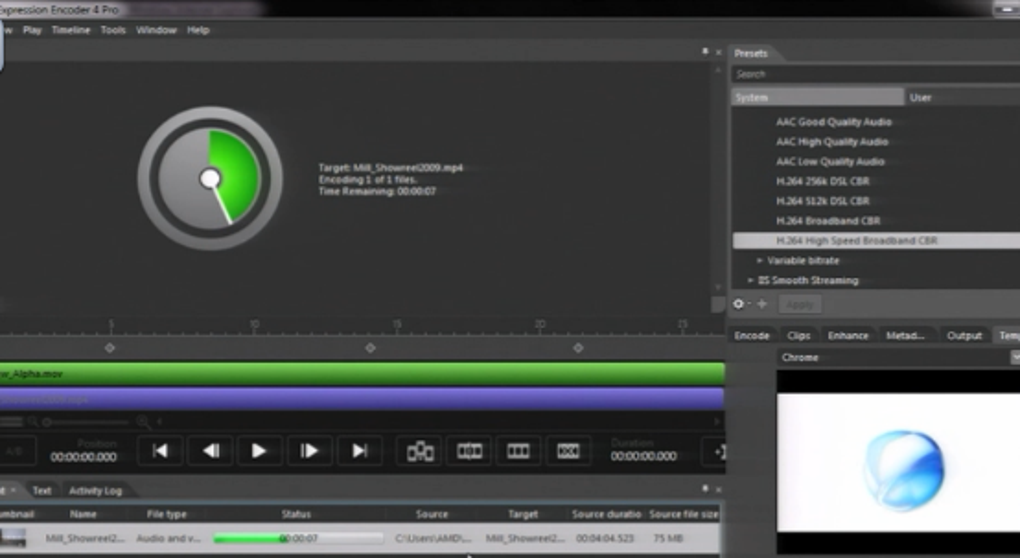
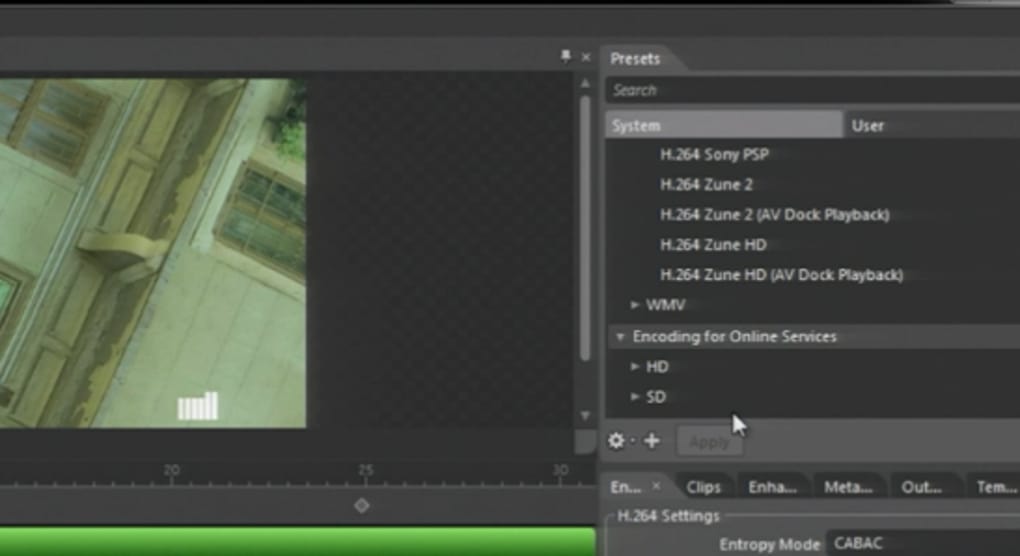
Once recording is complete, the built-in editing module provides essential tools such as trimming, splitting clips, adding basic transitions, and adjusting brightness or contrast. The layout is clean, with a left-side preview pane and a right-side panel for encoding options, making navigation smooth even for first-time users. Another valuable feature is the support for multiple output formats, including WMV, MP4, and FLV, which ensures compatibility across devices and platforms.
While it doesn’t support advanced effects like green screen removal or audio ducking, the software handles standard editing tasks efficiently. The free license removes financial barriers, allowing educators, students, and independent creators to use it without cost. Additionally, the software integrates well with other Microsoft tools, enhancing its appeal for users in academic or corporate environments.
Although it lacks real-time collaboration or cloud sync, its standalone nature ensures privacy and offline functionality. For those seeking a secure, no-frills video tool that gets the job done, Expression Encoder remains a strong contender in the free software space.
- Record screen, webcam, or microphone input with ease
- Customizable recording area and resolution settings
- Support for multiple output formats (WMV, MP4, FLV)
- Basic video editing tools: trim, split, transition, color correction
- Lightweight and fast performance with minimal system requirements
- Free to download and use with no hidden costs
- Simple interface ideal for beginners and educators
Installation, Usage, and Compatibility Across Platforms
Getting started with Microsoft Expression Encoder is a straightforward process, especially for users familiar with Windows-based software. The application is available for Windows 7 and later, including Windows 10 and Windows 11. Although it was originally designed for Windows, some users have reported limited success running it on Mac via compatibility layers like Parallels or Boot Camp, though native support is not available.
For Android and iOS users, there is no official version, but similar functionality can be achieved using alternative apps like DiReec Screen Recorder or VSDC Free Screen Recorder. The installation process involves downloading the setup file from a trusted source, running the installer, and following the on-screen prompts. The software does not require a complex configuration—just a few minutes to set up and begin recording.
Once installed, launching the app brings you to the main dashboard, where you can choose between the Screen Capture and Editing modules. The capture interface is minimal: select your source (screen, webcam, audio), define the recording area, choose quality (HD or SD), and click the red record button. During recording, a small overlay shows the time and status, ensuring you stay aware of the session.
After stopping, the video is automatically saved to your chosen location, and you can open it in the editing section for refinement. The editing interface is equally user-friendly—drag clips to the timeline, trim unwanted sections, apply fade-ins or fade-outs, and export in your preferred format. For those who need to update their workflow, Expression Encoder offers a reliable, secure, and lightweight solution.
While it’s no longer updated by Microsoft, the software remains stable and functional on modern systems. It’s worth noting that users should ensure they download the latest version (4.0) from official or trusted repositories to avoid malware or outdated components. Overall, the installation and usage experience is smooth, making it a top choice for users who prioritize simplicity and efficiency.
- Compatible with Windows 7, 8, 10, and 11
- Not natively supported on Mac, Android, or iOS
- Simple installation with no complex setup required
- Minimal system requirements – runs smoothly on older hardware
- Supports HD and SD recording resolutions
- Secure download available from trusted sources
- Offline functionality – no internet required after installation
Pros and Cons: Is Microsoft Expression Encoder Right for You?
When evaluating Microsoft Expression Encoder, it’s essential to weigh its strengths and limitations against your specific needs. The software shines in its simplicity, affordability, and reliability—making it a great fit for beginners and educators who want to create basic video content without a steep learning curve. One of the biggest advantages is that it’s completely free to download and use, with no trial periods or subscription fees.
This makes it accessible to students, teachers, and independent creators on tight budgets. The intuitive interface ensures that even first-time users can start recording within minutes. Additionally, its lightweight design means it doesn’t consume excessive system resources, allowing it to run smoothly on older computers.
The ability to record screen, webcam, and audio simultaneously is a major plus for tutorial creators. However, the software does have notable drawbacks. Most significantly, Microsoft has discontinued updates, meaning it may not support the latest Windows features or security patches.
This raises concerns about long-term compatibility and potential vulnerabilities. Another limitation is the lack of advanced editing tools—there are no effects, titles, or multi-track editing. Export options are also limited compared to modern alternatives.
Furthermore, the absence of native Mac, iOS, or Android support restricts its usability for mobile users. Despite these shortcomings, Expression Encoder remains a solid option for those who need a no-frills, secure, and free video tool. If you’re not planning to create complex productions and just need to record and edit simple videos, it’s still a worthwhile download.
- Pros: Free to use, lightweight, simple interface, supports screen/webcam/audio recording, basic editing tools, secure download, stable performance
- Cons: No longer updated by Microsoft, limited editing features, no native support for Mac/iOS/Android, lacks advanced effects and transitions, no cloud sync or collaboration
Frequently Asked Questions (FAQ)
Is Microsoft Expression Encoder still available for download?
Yes, Microsoft Expression Encoder is still available for free download from trusted third-party websites and archives. Although Microsoft discontinued its development and support, the software remains accessible for users who need a simple screen recording and editing tool. Always download from reputable sources to ensure a secure and malware-free installation.
Can I use Microsoft Expression Encoder on Mac or iOS?
Microsoft Expression Encoder is designed exclusively for Windows and does not have native support for Mac, iOS, or Android. However, Mac users can run it via virtualization software like Parallels or Boot Camp. For mobile users, alternative apps such as DiReec Screen Recorder or VSDC Free Screen Recorder offer similar functionality.
What formats can I export my video in using Expression Encoder?
Expression Encoder supports exporting videos in several common formats, including WMV, MP4, and FLV. These formats are widely compatible with most devices, video platforms, and media players, making it easy to share your recordings across different environments.
Does Expression Encoder support advanced video editing features?
No, Expression Encoder offers only basic editing tools such as trimming, splitting, and applying simple transitions. It lacks advanced features like chroma keying, motion tracking, multi-track editing, or audio ducking. For more complex editing, users may need to switch to professional software like Camtasia or Adobe Premiere.
Is Microsoft Expression Encoder secure to use?
Yes, when downloaded from trusted sources, Microsoft Expression Encoder is considered secure. Since it’s no longer updated, it may not receive future security patches, so it’s recommended to use it on isolated or trusted systems. Avoid downloading from unverified websites to prevent malware infections.
Final Verdict: A Reliable Free Tool for Simple Video Creation
Microsoft Expression Encoder remains a solid choice for users who need a free, lightweight, and easy-to-use tool for recording screen, webcam, or audio content. While it lacks the advanced features and ongoing support of modern alternatives, its simplicity and reliability make it ideal for educators, students, and casual content creators. If you're looking to create basic screencasts, tutorial videos, or quick presentations without spending a dime, Expression Encoder delivers consistent performance.
The software’s clean interface, minimal system requirements, and secure download options ensure a smooth experience. Although it’s no longer updated by Microsoft, its stability and compatibility with older systems make it a dependable option. For those who value simplicity over complexity, this tool is still worth downloading.
Don’t miss the chance to enhance your digital content creation—download Microsoft Expression Encoder today and start recording with confidence.
CTA: Download Microsoft Expression Encoder for free now and take control of your video creation journey.







